The SnT Support Team is ready to assist you with any questions or guidance. If you have any questions, please don’t hesitate to contact us at [email protected].
Once you have created your account on CTBTO Indico, you can register for SnT following the steps below:
Go to the Registration Form
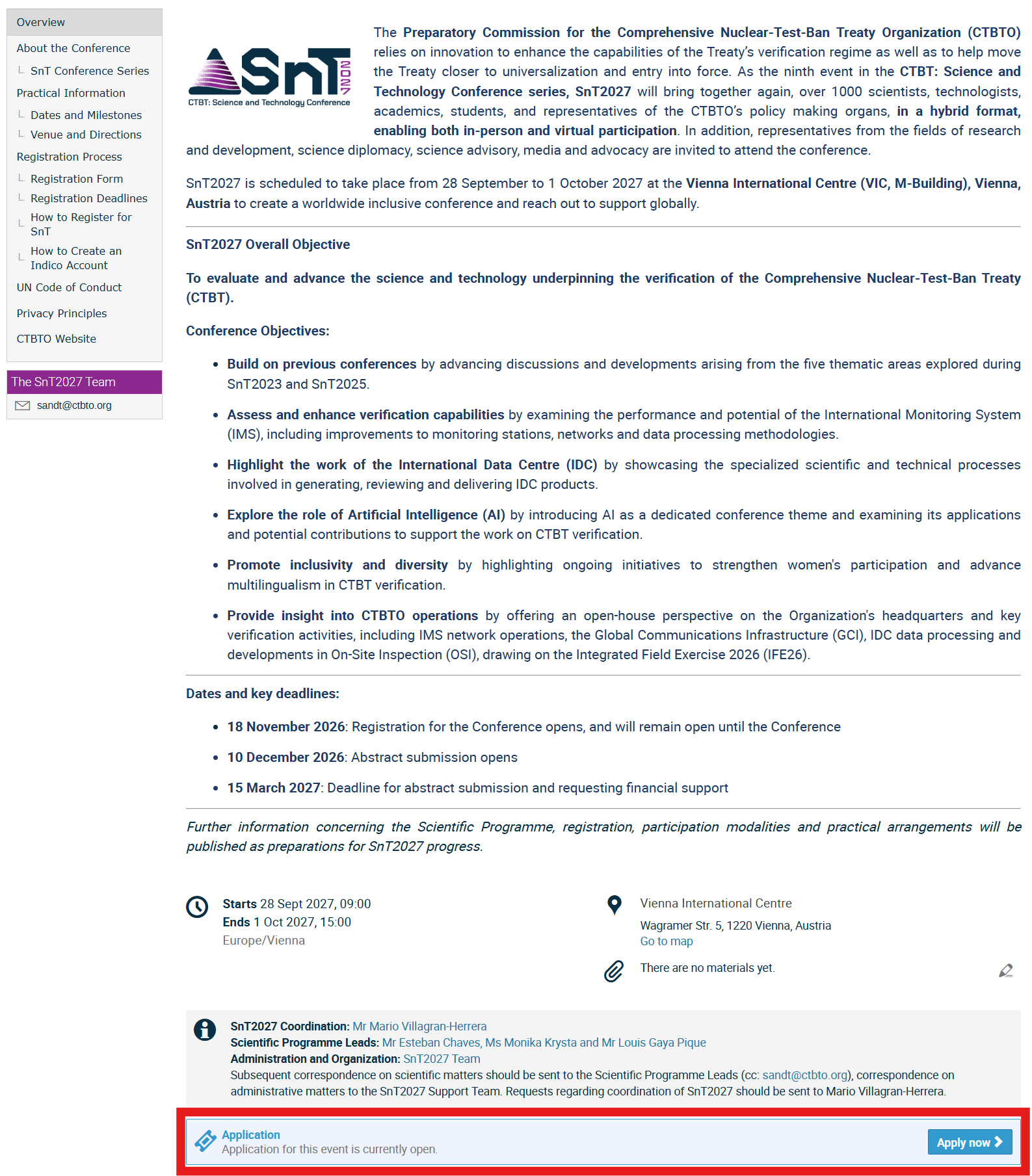
Either: Scroll all the way down to the bottom of the SnT2027 Overview page (SnT2027 Overview) and click Apply now (ensure you are logged in; otherwise, the Apply now button will not be visible)
Or: Go directly to the Registration Form Menu item on the left-hand side.
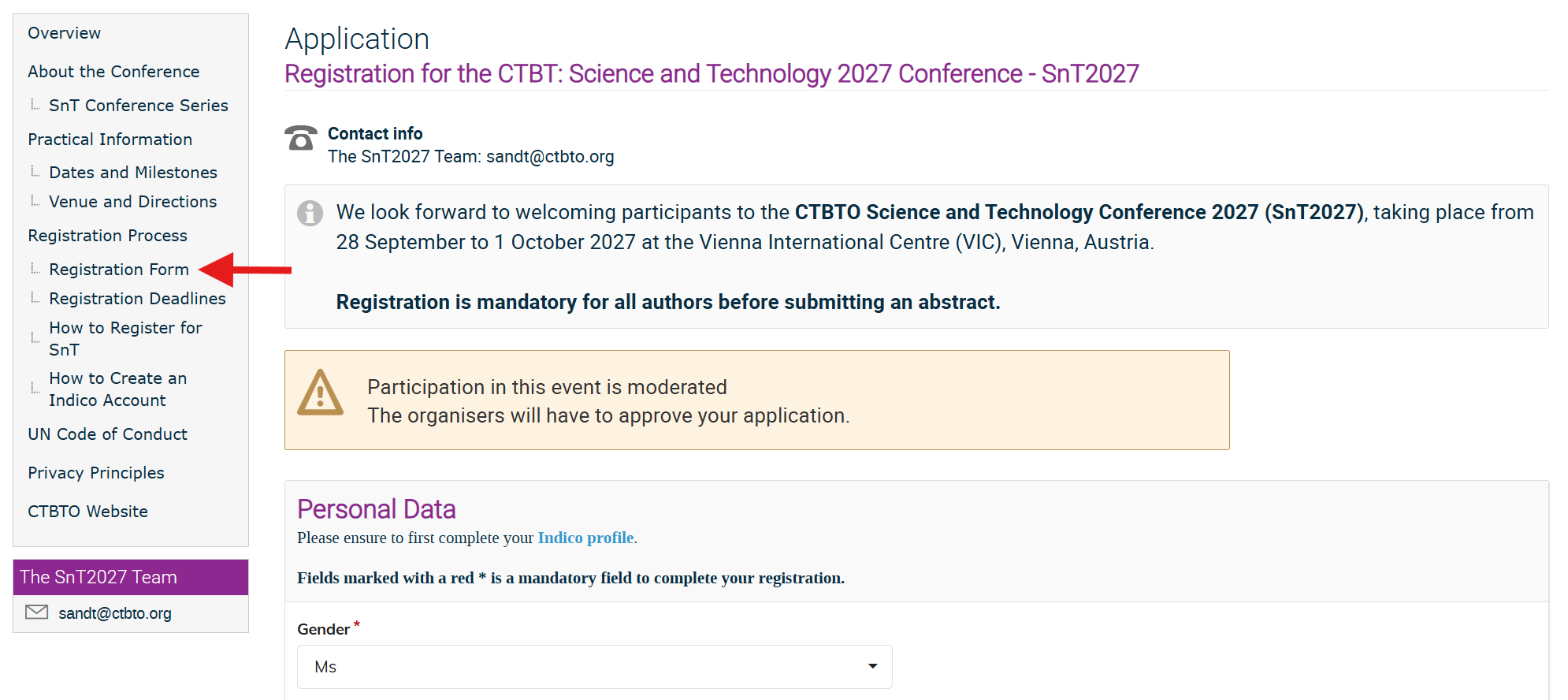
Fill out the form
Most boxes in the application form will be auto-filled with your Indico account information. Therefore, it is essential that you double-check your Indico account information to ensure it is all correct.
- Please ensure that all fields in the following boxes are filled in: Personal Data box, Participation at the Conference, Early Career Professionals, and Request for Financial Support and the CTBTO policy principles.
- All the fields marked with * are mandatory.
Once you have completed the form, click Apply.
Receive notification
You will then receive an automated email notification that your application has been received. The email will have the following subject line: "[Indico] Registration for CTBT: Science and Technology Conference 2027 - SnT2027" (from [email protected])
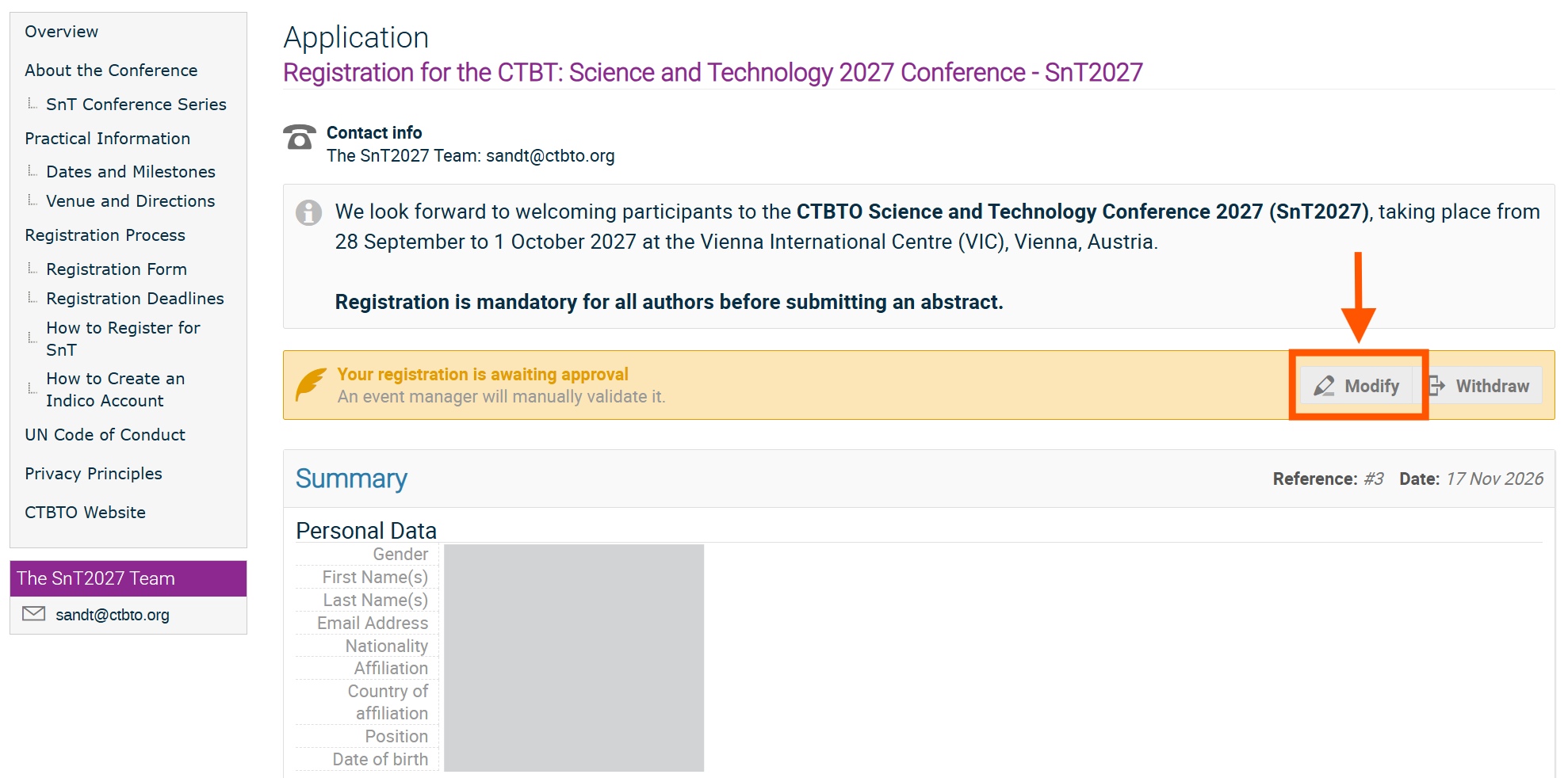
Modifying your registration
If you need to modify your application data, e.g., to correct a typo, or change your attendance mode, go to the Registration Form (menu item on the left-hand side) and click on Modify.